
Sequence diagrams
Trace requests, responses, and async events across users, APIs, databases, and external services.
Read the sequence diagram guideExplore professional UML diagram examples to quickly start your system design
Practical Mermaid cases for common UML and system design scenarios.
A flowchart showing the step-by-step process of user registration including validation and email verification.

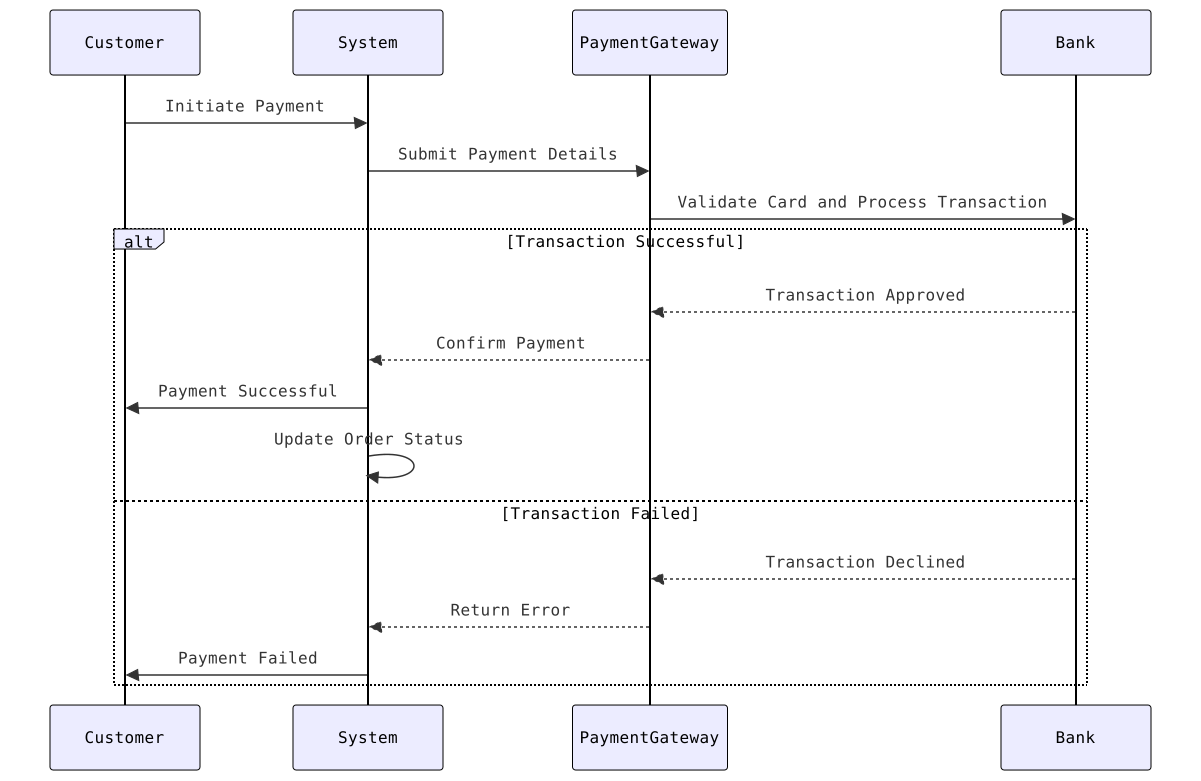
Shows the interaction between Customer, Payment Gateway, Bank, and System during payment processing.
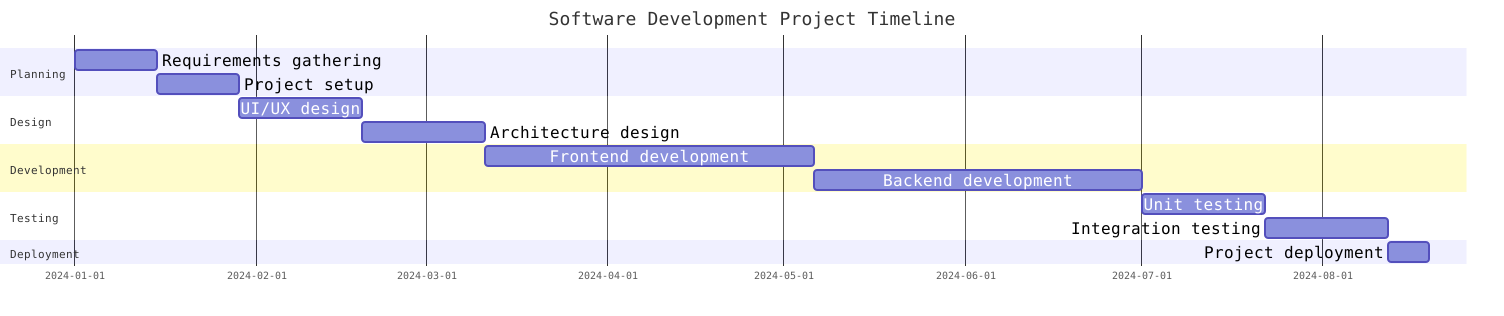
Timeline visualization of a software development project phases and tasks.
Shows the structure of classes, their attributes, methods, and relationships in a library system.

Illustrates different states and transitions of a vending machine during operation.

Shows the relationships between entities in an online learning system database.

Maps out the complete journey of a user using an e-commerce mobile application.

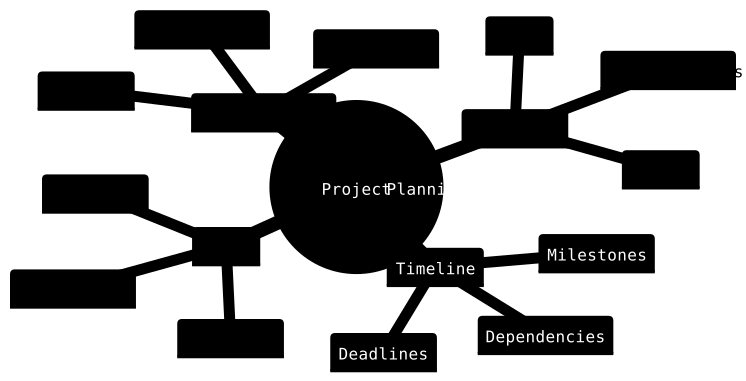
Visual organization of project planning elements and their relationships.
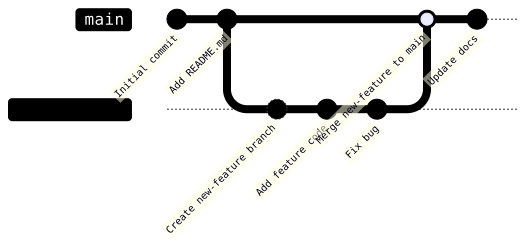
A basic Git branching example showing how to create and merge a feature branch.
A hierarchical visualization of a company's organizational structure from executives to departments.

From example to working diagram
Start with the smallest diagram that communicates the decision, interaction, or structure you are documenting. The examples above are reusable patterns: adapt their source, validate the result with a teammate, and keep the diagram beside the documentation it supports.
Trace requests, responses, and async events across users, APIs, databases, and external services.
Read the sequence diagram guideExplain decisions, approvals, onboarding paths, and operational processes from start to finish.
Read the flowchart guideDocument domain models, dependencies, boundaries, and the structure of a software system.
Compare class diagram toolsYes. Open the editor, reuse the prompt or source from an example, and replace the participants, steps, or entities with details from your own system.
Mermaid is a practical default for concise diagrams in Markdown-heavy workflows. PlantUML is useful when you need broader UML notation or more detailed styling controls.
Keep one clear purpose, use names that match the system, show only relevant branches, and review the source whenever the underlying workflow changes.